
Migrate with High Security
Oracle Database Transfer Tool
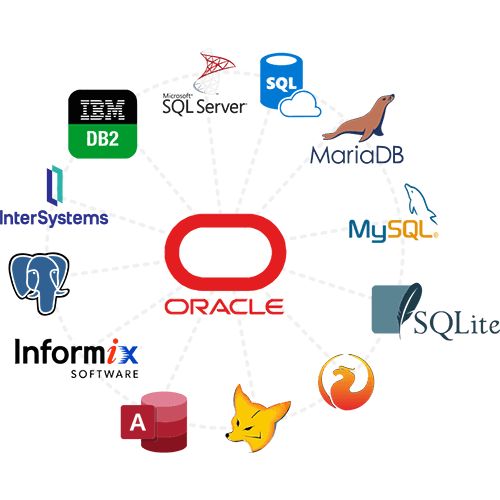
You can use this Oracle Migration Tool to perform automated database migration from Oracle database to Oracle or non Oracle Server without compromising the data.
Why choose this Oracle Database Migration Tool?
Wide Range of Migration Services
Oracle Migration Tool is your one stop solution for migrating items from one database to other. It is developed with powerful engine that automatically scans the files and export all the data by mapping profiles from one database to another so there is no chance of data ambiguity. This database migration service not only let you migrate your valuable data at your desired server, but you can preview the files before migration starts.
High Level Security: It provides its users a top-notch security which is the main factor if you have some sensitive data that should not be lost or leaked at any cost.
Lightning Fast Process: Since we all know that data migration is one of the complex as well as time taking task. But if you are using this DMS tool for migration then you will get high speed during transfer of data.
Create Log File: After the database transfer process finishes, users will get the option to save the Log file that has the export details like tables, views, triggers, stored procedures, functions, rules, and the exported report counts.

Oracle Database Migration Service, the highest rated on top review hubs.
Advanced Features of Oracle Database Transfer Tool
Migrate Oracle Database with Accuracy
With this Oracle Migration tool, you can migrate Oracle database into various database formats directly. User can migrate Oracle to non-Oracle databases and also you can migrate your database from Oracle to oracle. It also allows you to map profiles from one server to other so that you have no data loss. Oracle 11g or higher version installation is required to migrate Oracle databases.
Oracle to SQL Server Migration
This Oracle Database Migration Tool is best for you if you want to migrate from Oracle to MS SQL server. Simply select Oracle in Source field and Microsoft SQL as destination field. Oracle 11g or higher and SQL Server tools are required in order to continue the process. Users can easily transfer Tables, Schema, View, Indexes, Primary and Foreign Keys, etc. without losing any data.
Apply Filters to Export Selective Data
Although database migration is the complex task but if someone want to migrate some selected tables from database then it becomes the toughest task. But if you are using this tool, then you can apply various filters to export selected amount of data and save unnecessary time consumption. From there you can select the tables or views that you want to be migrated.
Transfer Database with Schema & Data
While migrating Oracle database from one Server to another Server, the Oracle Database Migrator provides an option to move database objects like Tables, Function, Stored Procedures, Index etc. components with both the Schema & data from/to Oracle Server in all previous versions of Oracle Server. You can also set the data transfer method.
Move Inaccessible Oracle Database
Oracle Database Migrator has the functionality to move an offline or detached inaccessible or corrupted database files data from One Server to another Server. Before migrating corrupted database from one database server to another, the Oracle database migration tool allow you to preview the database objects like Tables, Indexes, Functions, Keys etc.
Save Log Report of Migration Process
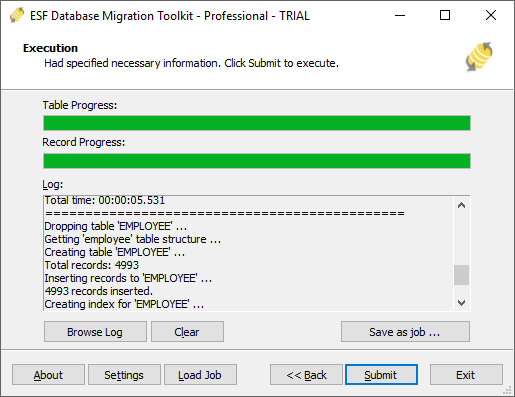
Once the migration process is finished, the Oracle Migrator tool generates a complete report in CSV format that you can save. This migration report consists of all details like source server, destination server, transfer status, success and failures. This report can be used for a future purpose by users if required. Moreover, users can also check all the ongoing processes live.
Software Walkthrough
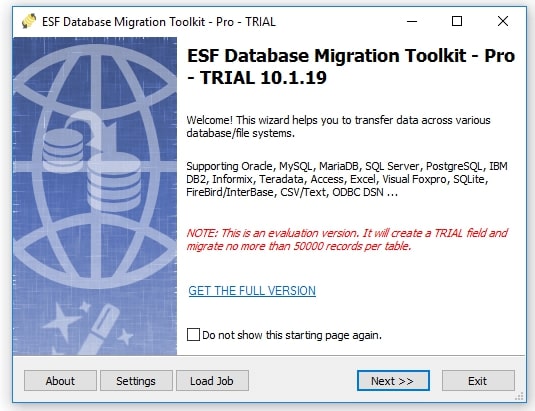
Watch videoSteps to Migrate Oracle database are as follows;
Step 1. Launch and Run the tool in your system.
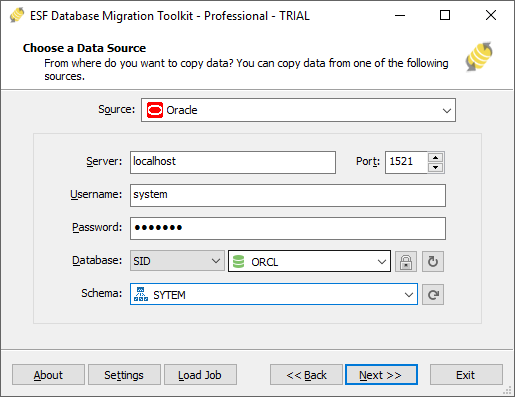
Step 2. Select the Data Source as Oracle and input various detalis like server name, etc.
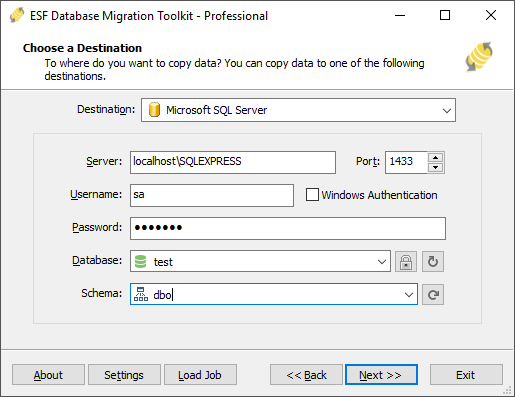
Step 3. Then choose the destination Server where you want to migrate data.
Step 4. Now select the tables which you want to migrate.
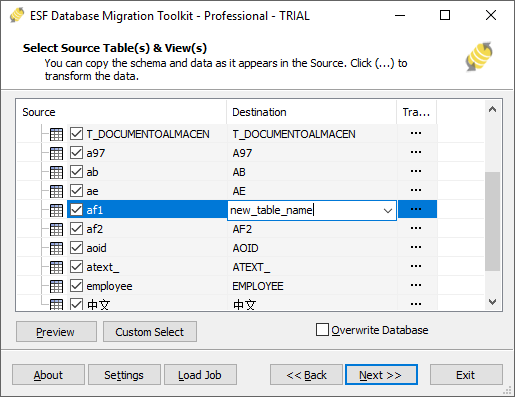
Step 5. At last, click the Submit button to start the process.
You're in good hands
I tried this Oracle Migrator application to migrate Oracle database to another server and I must say that it is an excellent tool with so many advanced options to move files between Oracle servers and other popular databases. The best part about this tool is that it provides a preview option. For me, it is the best utility to transfer Oracle database without any hassle.
Brilliant Tool so far! Really, I have never used a software like this Oracle Database Migrator. The task, which seems tough to me before now with this Oracle Migration Tool, it has become the easiest one. Moreover, I have migrated the entire databse in a few clicks only.
Today, the most critical issues that organizations are facing is migrating databases from one server to other without losing data. This has been affecting organizations since a long time because they have to compromise with their data. This Oracle Migration Assistant could prove as a convenient rescue.
Technical Specifications

System Requirements
Processor
Pentium Processors
Operating System
Windows 10, 8.1, 8, 7, Vista & XP
Memory
2 GB minimum (4 GB recommended)
Hard Disk
150 MB free space
About Product
Version
10.1.19
License
Single User

TRY IT OUT FOR FREE
Prefer to Try
Before You Buy
FAQ
Steps to migrate Oracle Database to other server are as follows;
- Step 1. Download and install Oracle Database Migration Tool in your PC.
- Step 2. Select the Oracle as Source database and enter all details.
- Step 3. Then Choose Destination Server and click on Next.
- Step 4. Now select desired Tables or Views that you want to migrate.
- Step 5. Hit the Submit button to continue the process.
This is how you can quickly migrate your Oracle databases using Oracle Migration Tool.
You can surely migrate from Oracle to Postgre SQL by selecting Oracle as Source file and Postgre as Destination file.
Yes, of course you can migrate database from Oracle to SQL Azure. Also you can transfer all database objects like functions, views etc. using Oracle Database Migration Software.
Yes the tool is developed to migrate all the items of database from Oracle to new MySQL server databse. But, first you should create a new database in your MySQL Server for carrying out the migration process.