Are you searching for easy method to migrate Thunderbird emails to Webmail? If you have tried many solutions and nothing worked for you, then this guide will help you. Here in this write-up, both manual and automated methods to transfer emails from Thunderbird to Webmail accounts have been discussed.
Unlike Thunderbird, Webmail is a cloud-based service that lets users access emails from anywhere. So, exporting data to Webmail assures you that your emails are always available to you
Why Migrate Thunderbird Emails to Webmail?
- Webmail works on any device so you can access emails anytime, anywhere.
- Best choice for cloud-based storage.
- Useful when switching email services.
- Webmail is more flexible and secure.
- Good option for online backup Thunderbird emails.
Method 1: Manual Method to Transfer emails from Thunderbird to Webmail
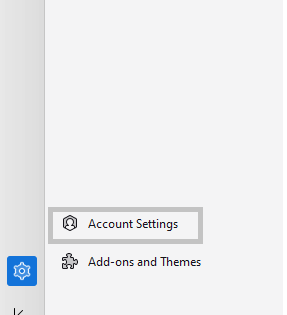
- Open Mozilla Thunderbird. Go to Tools > Account Settings.
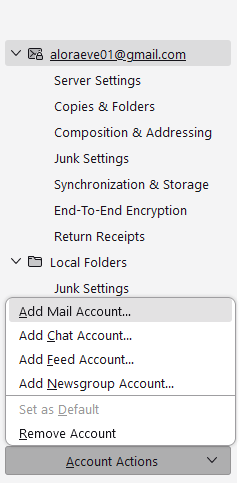
- Click Account Actions > Add Mail Account.
- Enter your Webmail credentials correctly and click the Continue button.

- Thunderbird will auto-configure IMAP settings. Click Done to add the account.
- Go to the folder where your Thunderbird emails are saved.
- Select the emails you want to move.
- Drag and Drop emails from Thunderbird account to Webmail account.
Limitations of Manual Method
- Manually transferring large number of emails can take hours or even days.
- Incorrect steps may lead to data loss or data corruption.
- You can’t selectively migrate Thunderbird emails to Webmail.
Professional Solution to Migrate Thunderbird Emails to Webmail
For direct and error-free migration, try Yota Thunderbird Backup Tool. This tool offers a secure way to transfer Thunderbird emails to Webmail account with minimum effort. You can use it to convert Thunderbird emails to PST, PDF, EML, MBOX, etc. Also, it provides a preview of emails and folders before migration.
Additionally, it is highly compatible with all Windows versions, including Windows 11 and 10. The software also migrate emails from Thunderbird to Gmail, Yahoo, Office 365, Hotmail, and others.
Steps to Migrate Thunderbird Emails to Webmail are:
- Download and Install Yota Thunderbird Migration tool on your PC.
- Click on Open>> Desktop Email Clients>> Thunderbird Accounts.

- Add and Preview the emails.
- Go to Export and select IMAP as saving option.

- Lastly, enter the login details of webmail account and hit the Save button.
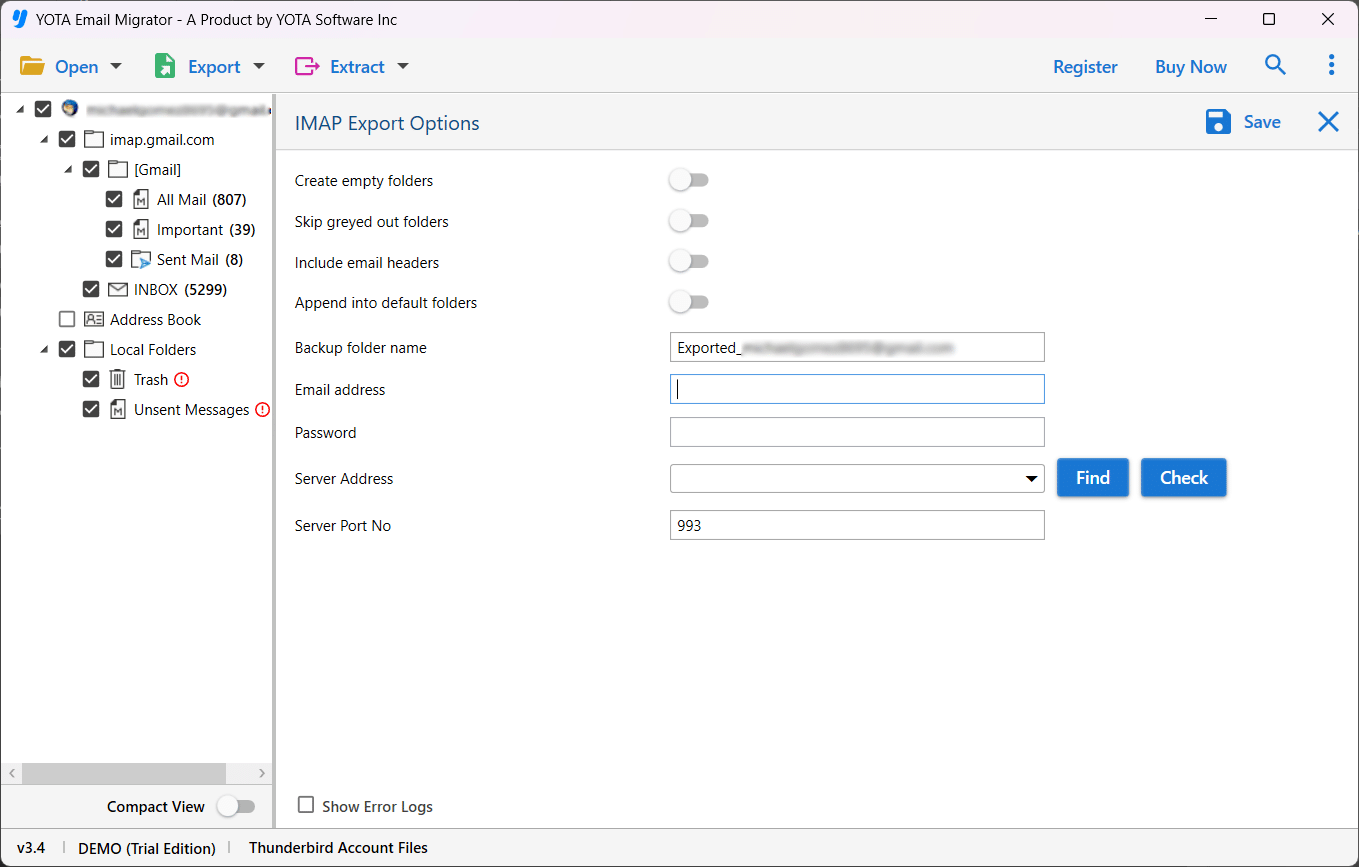
That’s it! This is how you can easily export Thunderbird emails to Webmail account.
Prominent Features of the Tool
- This tool can preserves the original structure of Thunderbird folders during transfer.
- Users can export multiple Thunderbird emails or folders in a single go.
- The tool is capable to retain email metadata like To, From, Cc, Bcc, Subject, and Timestamp, etc.
- Its simple panel is suitable for both beginners and advanced users to migrate emails from Thunderbird to Webmail.
- You can easily extract attachments from Thunderbird mailbox. along with emails and other data.
- This software is fully secured to move your emails with 100% accuracy.
Conclusion
Moving emails from Thunderbird to Webmail is a smart decision. It helps you access your data from anywhere. Webmail does not need any software to run. It works on all devices with internet. In the above blog, two methods have been discussed. Manual method is fine for few email migrations. But it takes a lot of time and effort. For large number of emails, the automated tool is a better option. It is fast, safe, and easy to use.
Using the professional Thunderbird Migrator to migrate Thunderbird emails to Webmail can save a significant amount of time. It also keep your data secured during the process. Now you know the best ways to export emails from Thunderbird to Webmail.
Try the free DEMO now to check the working of the tool.


