In today’s world, communication has become necessary for both personal and professional use. Sometimes, users want to send Outlook emails to WhatsApp. If you are also looking for how to send emails from Outlook to WhatsApp, then you will get the proper solution here.
In this informative guide, we will discover the best and effective methods to send Outlook email to WhatsApp. So, keep reading this article blog.
Before proceeding, let’s explore the common reasons why users want to send Outlook messages to WhatsApp.
Why Share Emails from Outlook to WhatsApp?
MS Outlook is a professional email platform used primarily for formal communication. On the other hand, WhatsApp is a fast and convenient app for personal messaging. Billions of users use WhatsApp to chat and maintain real-time conversations. So, there are several reasons to send Outlook emails to WhatsApp. Some of them are given below:
- With WhatsApp, users can instantly share important information from an email with a colleague or team member.
- You can forward a meeting agenda, invoice, or report to someone who doesn’t check their email often.
- Make important emails more accessible when you are chatting in WhatsApp and need to refer to them.
Now, let us move to the methods that let you send emails from Outlook to WhatsApp. There are 2 methods, manual and automatic. In the upcoming section, we will discuss both methods one by one.
How to Send Outlook Emails to WhatsApp? – Free Method
There is a free, straightforward method to share Outlook messages to WhatsApp. Here are the step-by-step instructions to achieve this:
- Open and launch Outlook on your computer.
- Select all those emails that you want to share through WhatsApp.

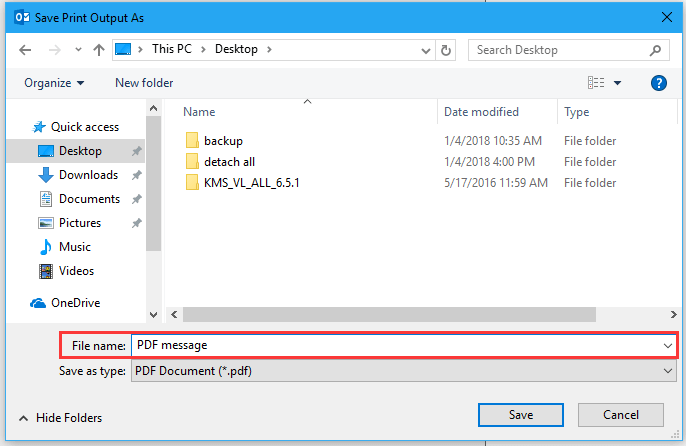
- Click the File >> Print, then choose the Save as PDF option.

- Choose the location where you can easily find the PDF file.
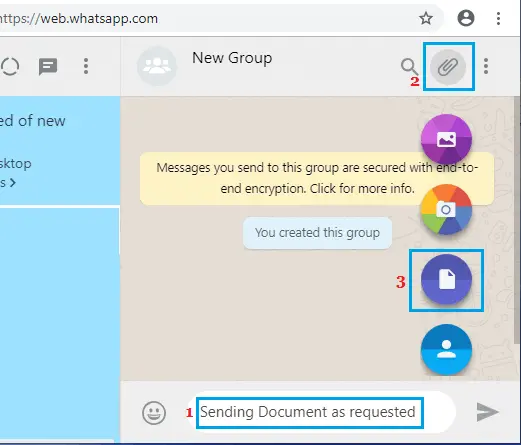
- Now, open WhatsApp in your browser by scanning the QR code.

- Then, open the WhatsApp chat in which you want to share Outlook emails.

- Click on the Attachments icon, choose Documents, and upload the saved PDF.
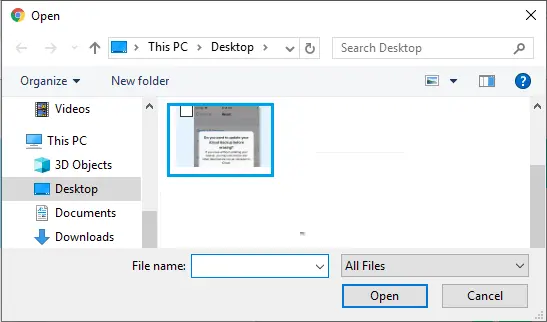
- Finally, click Open and then click on the send button.
Done! Now, your Outlook emails are shared by WhatsApp in the PDF file format. But if you want to send Outlook emails to WhatsApp in bulk, then you should use the professional tool. We will explore the instant way below to accomplish this task.
How to Send Emails from Outlook to WhatsApp in Bulk? – Expert Tool
As we discussed above, the manual method to send Outlook email to WhatsApp is suitable for individual messages. If you want to transfer several emails at once, you can use the Yota Outlook Migrator, which is designed for bulk conversion. This allows you to save Outlook emails as PDF in bulk with all attachments.
Additionally, this tool can help you send Outlook emails to WhatsApp more easily, especially when dealing with multiple emails. It lets you export multiple Outlook emails at once as a PDF or other file formats. This saves time compared to saving each email manually. It also keeps the original format and maintains the hierarchy. So, everything looks the same when shared on WhatsApp. It’s a simple way to organize, select, and send emails from Outlook to WhatsApp.
Steps to Send Outlook Emails to WhatsApp are as follows:
- Download and install the Email Migrator and click Open.
- Click Desktop Email Clients and select Outlook Accounts, then select Outlook profile.

- Then click Export, and choose PDF as a saving file format.

- Choose a destination to store the PDF file and click on the Save button.

- Open WhatsApp Web and simply drag and drop the PDF files into any chat.
That’s It! This way, you can easily send Outlook emails to WhatsApp in bulk without data loss.
Conclusion
Sharing Outlook emails to WhatsApp is simple if you know the right solution. In the above post, we shared the manual and automatic methods to send Outlook email to WhatsApp. The manual method is fine if you want to share some emails from Outlook to WhatsApp. If you have multiple emails and want to send Outlook emails to WhatsApp in bulk, then you must use the automated method.
