Summary: Wondering how to export emails from Earthlink to EML files? Are you still looking for a reliable solution to this task? If yes, then this blog will guide you step by step. Here we will introduce you to the most effective solution to convert your webmail data to EML file format, which is called Earthlink Backup Tool for Windows PC.
Earthlink vs EML
EarthLink is one of the best Internet Service Providers. Along with this, it offers a Webmail service to easily send or receive email messages. Whereas, EML file is an email saved in email format or plain text. Since Earthlink does not support .eml format, you have to take help of any professional tool to export your messages to EML format.
Why to Export Earthlink to EML Format?
- EML files can be opened in many email clients like Outlook, Thunderbird, and Windows Mail.
- You can safely store your email on your local PC.
- It becomes easy to switch to other platforms that supports .eml format.
- It is a preferred format for archiving emails for legal, audit, or documentation purposes.
How to Convert Emails from Earthlink to EML Instantly?
Yota Email Migrator is one of the best solution to convert your emails. Because there is no manual method available to do so. This software is completely secure and free from all viruses. With this utility, you do not worry about losing a single piece of information from your account.
It can be accessed by any user due to the simple and graphical user interface. Moreover, the tool lets you export all email folders at the same time and save your lots of time. It has no boundaries which means you are free to convert unlimited and any size of emails effortlessly. Moreover, you can also extract attachments from Earthlink webmail smoothly.
The software automatically loads all email data from your account into the panel. You will only be asked to enter the access data for your account. Don’t worry at all because this tool never stores your personal information in the database. It provides a 100% guarantee of complete conversion in just a few minutes.
Steps to Convert Earthlink Emails to EML File Format
- Run the tool on your PC.
- Click Open > Email Accounts > Add Account.
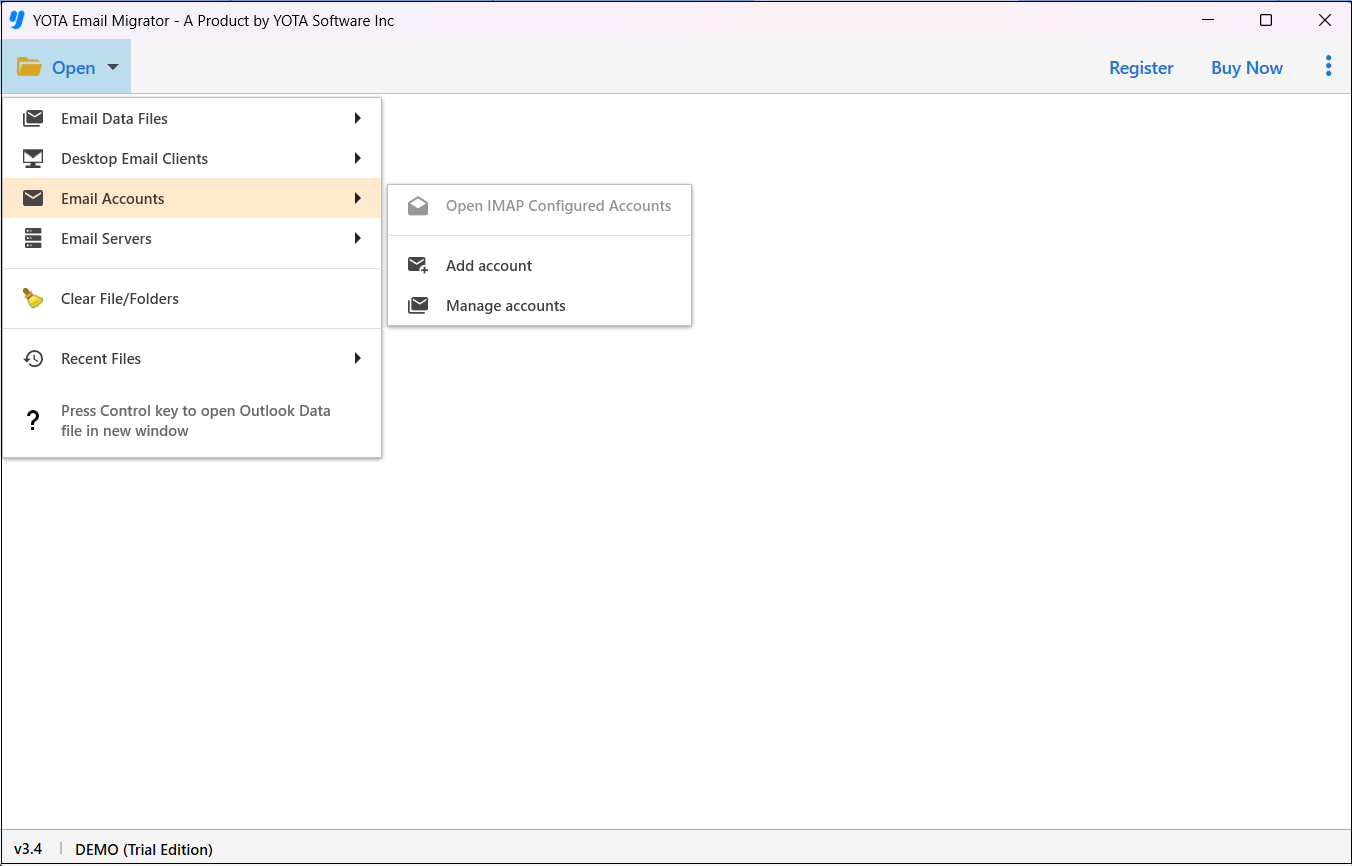
- Now, enter Earthlink webmail login credentials.

- Click on Export and select EML file format.
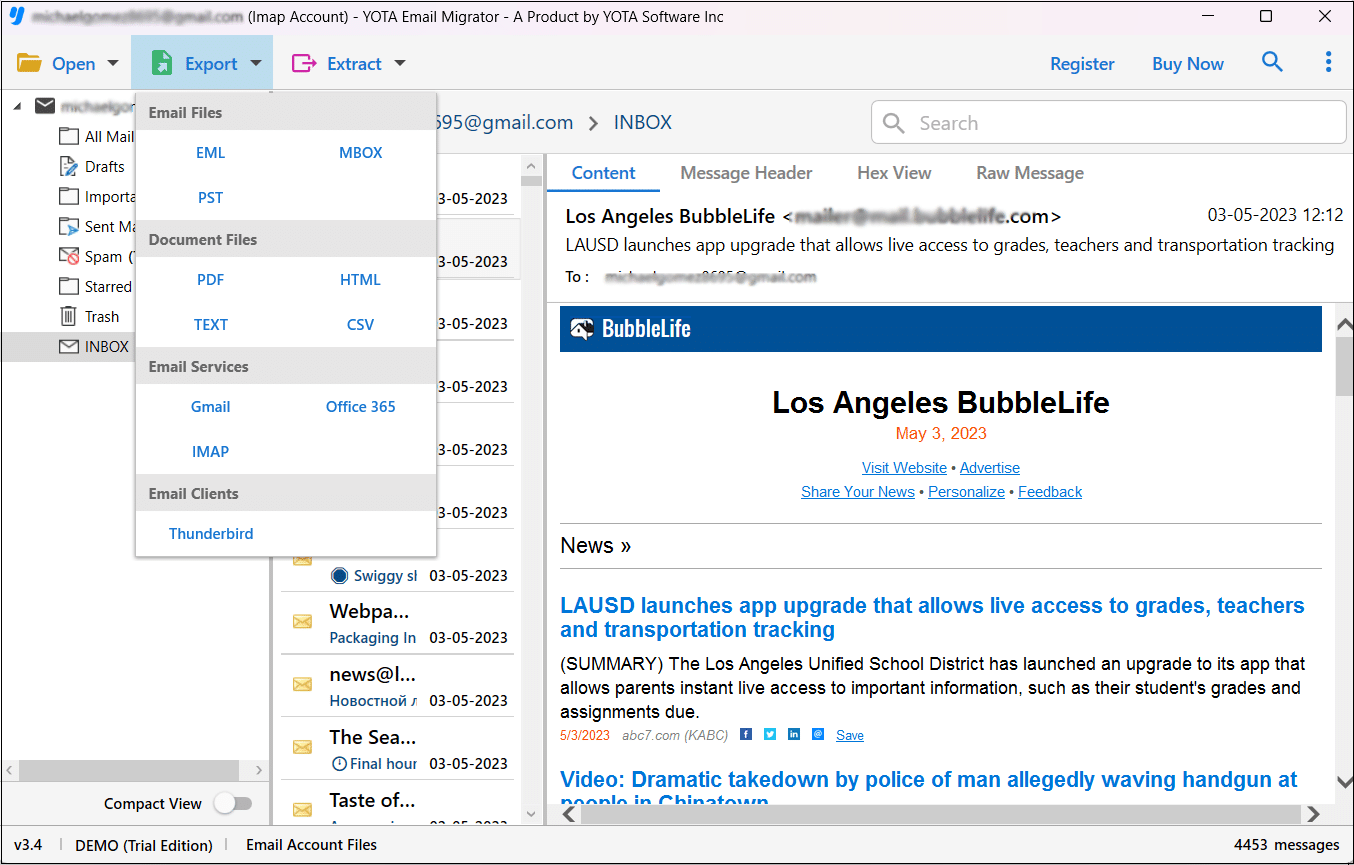
- Finally, choose a destination then hit on the Save button to begin the process.

That’s it!
This is the most easiest and quickest way to export your mailbox data without losing a single piece of information. The software lets you export Earthlink emails to PST file, MBOX, PDF, HTML, and other formats.
Last Verdict
Here we explained how to convert Earthlink emails to EML files step by step. This tool is the best and expert-recommended approach to quickly migrate your emails with attachments. Users can also verify it’s working by downloading the free trial version. After getting satisfied with the results, you can buy the upgraded version.


