Introduction: If you have an Outlook PST file and want to open it in your Thunderbird profile, you’ve come to the right place. In this blog, we’ll explain the best ways to import PST to Thunderbird with or without Outlook. Let’s get started!
Table of Contents
About PST and Thunderbird
PST stands for Personal Storage Table, known as Outlook data files, which contain email messages, contacts, calendars, and other items.
Thunderbird is a free and open-source email client application by Mozilla. It lets users manage multiple accounts in one place with a simple and user-friendly interface. Thunderbird works with Linux, Windows, and Mac machines seamlessly.
There can be many reasons why a user wants to import PST file to Thunderbird profile. No matter what the reason is, let us know all the methods step by step.
How to Import PST to Thunderbird Manually Using Outlook?
Basically, there is no direct option in Thunderbird to import a PST file. However, you can use the Outlook application to perform this task.
To begin the task, first you need to import your PST file into the Outlook application via the Import/Export option. Then, follow the listed steps:
- Open the Control Panel and go to “Programs” >> “Default Programs” >> “Set Default Programs.”

- Next, select Outlook, click “Set this program as default,” and then click “OK.”

- Now, open your Thunderbird application and click on the Menu tab at the top.

- Go to “Tools” and select the “Import” option.

- Choose “Mail” and click on the “Next” button.

- Select Outlook in the Import Window and click “Next.”

- Click on the “Finish” button.
- Thunderbird will now import your PST file data.
When Does the Manual Method Not Work for You?
If your PST file is corrupted, you won’t be able to import it into Thunderbird. Additionally, a full version of the Outlook application is required. If you’re using a trial version, you face the Import Export Greyed Out in Outlook problem.
How to Open PST File in Thunderbird Without Outlook?
Manually, it is not possible to import PST to Thunderbird without Outlook application. You must use the reliable Yota PST File Converter Tool that lets you import PST file to Thunderbird without installing the Outlook application on the system. This software lets you upload PST file directly to your desired Thunderbird profile.
It has an advanced option to repair a corrupted PST file and then transfer it to your Thunderbird account. Additionally, you can transfer PST files created or exported from Outlook 2021, 2019, 2016, 2013, 2010, etc.
During the import process, all your data remains as before, and you get 100% accurate results. Along with this, you can transfer multiple and selective emails to the Thunderbird profile without any data loss.
Also, the software offers you a full preview of Outlook PST file data before starting the process. You can smoothly install it on your Windows-based PC. It works successfully on Windows 11, 10, 8, and 7.
Steps to Import PST to Thunderbird Without Outlook are:
- Launch the tool and hit the Open option.
- Click Email Data Files and select Outlook PST file.

- Preview data and select folder you want to import.
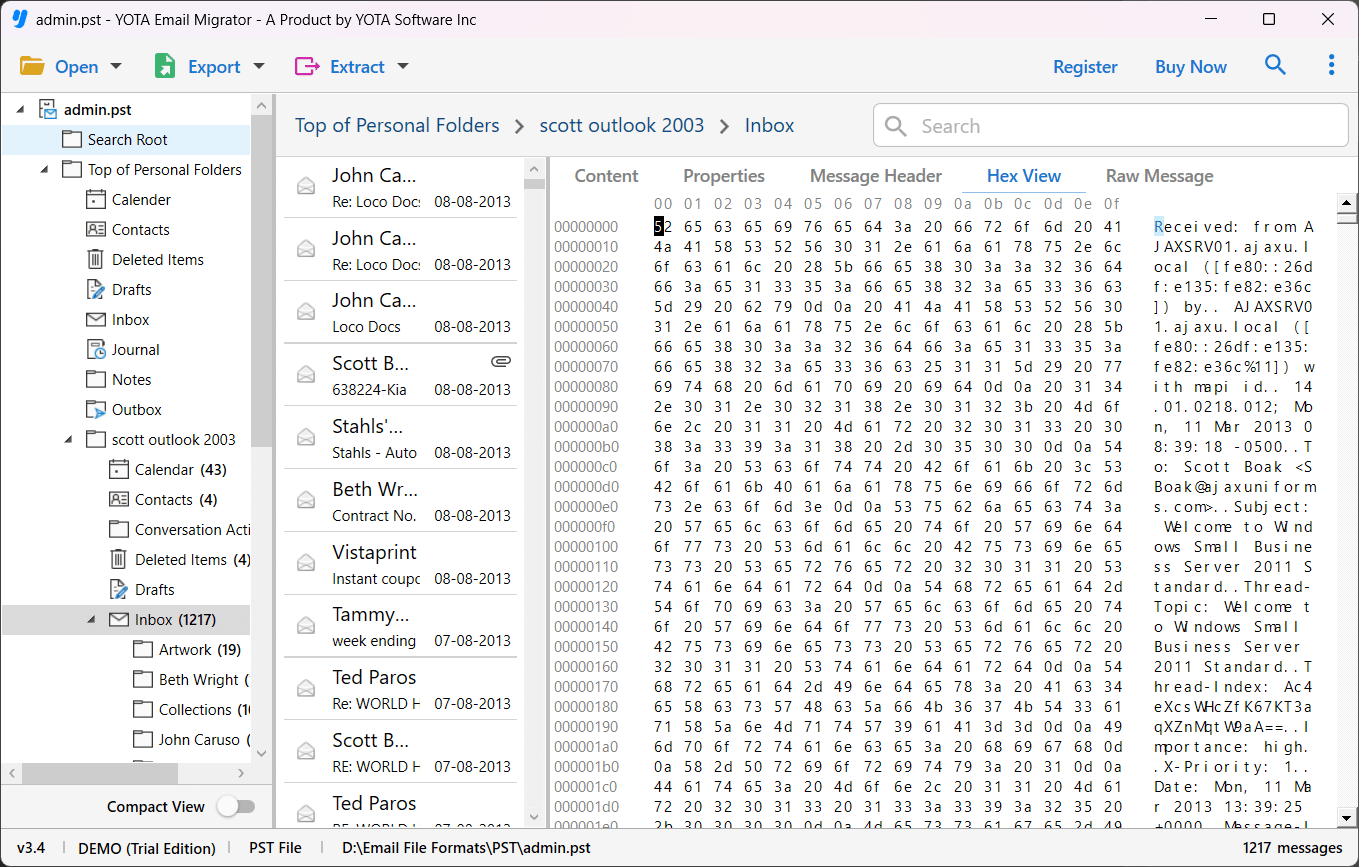
- Click Export and select Thunderbird as a saving option.

- Click on the Save button.
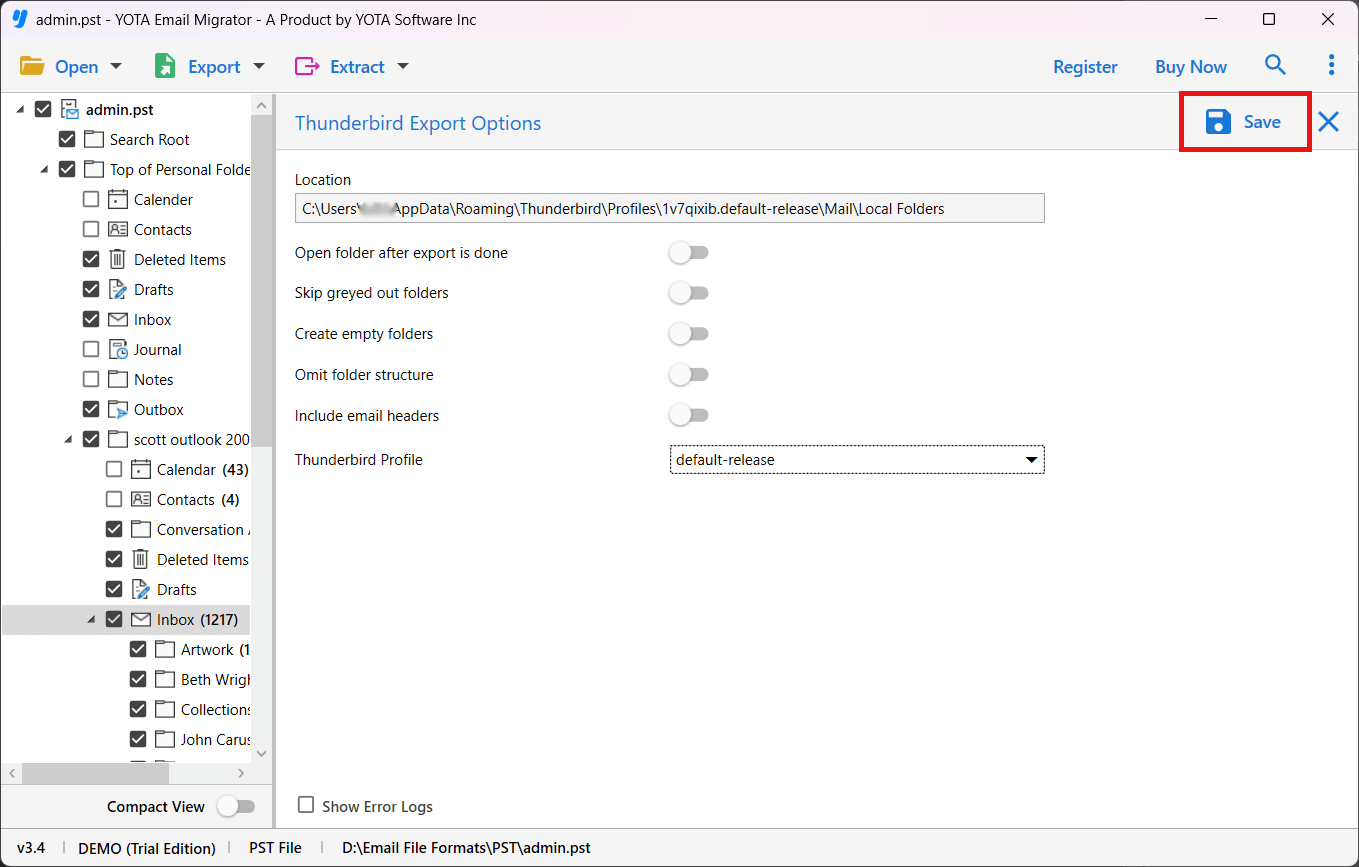
Done!
Why Choose the Automated Tool?
- Provide an option to directly import PST to Thunderbird without Outlook application.
- Support corrupted or damaged PST files without losing a single piece of information.
- Can transfer Outlook 2021, 2019, 2016, 2013, and 2010 PST files.
- Successfully operab;e on all versions of Microsoft Windows OS.
- Advanced option to import PST to Gmail, and any IMAP-based email account or service.
Frequently Asked Questions
Can Thunderbird import PST file?
No direct option available in Thunderbird to import a PST file. However, you can import PST file to Thunderbird using Outlook via the import/export option.
How do I open PST file in Thunderbird?
You can use the manual method, which uses the Outlook application. If you want to import PST to Thunderbird without using Outlook, you can use the above-mentioned tool.
Why import PST into Thunderbird?
There can be many reasons behind this, such as:
- Users want to switch from MS Outlook to the Thunderbird client.
- Mozilla Thunderbird is a free email client application.
- Users can access multiple accounts at once with Thunderbird.
Can this software help me import PST to Thunderbird without Outlook?
Yes, it allows you to import or open PST file in Thunderbird without installing the MS Outlook application on your PC.
Does this tool transfer a damaged PST file?
Yes, it helps you repair your damaged PST file and then import it directly into your Thunderbird profile.
Conclusion
Unfortunately, Mozilla Thunderbird doesn’t offer a way to transfer Outlook PST files. While the manual method helps you open PST file in Thunderbird with Outlook, it won’t work with older versions of Thunderbird. Furthermore, you need technical knowledge and a full version of Outlook to perform this task manually. To import PST to Thunderbird without Outlook, we recommend the tool mentioned above.


