Best email backup tool to download entire emails from any IMAP providers. You can save your account emails to the computer or hard drive. Free download the tool on any Windows version.
Select the Email Service of your Choice
Microsoft 365
Exchange Server
Roundcube
GoDaddy
Zoho Mail
Gmail
GMX
Webmail
Product Walkthrough
Screenshots & Video
Product Screenshots
Product Video
There's only one way to protect your mailbox data from hackers and other online threats: a backup. When it comes to choosing the best email backup software for downloading emails to your PC, the Yota Email Backup Tool is the top choice. It offers numerous useful features that every user wants in such software. With this, you can download emails from Google Workspace, Microsoft 365, AOL Mail, Outlook.com, AWS Workmail, and any other IMAP provider. It offers various file formats for exporting your emails, such as PST, EML, PDF, and more. Furthermore, you can back up an unlimited number of emails without worrying about data loss. Only your account credentials are required for the backup, and you don't have to worry about your personal data being compromised. The software is completely secure and does not store any information in a database. You can download the free version to test the software's performance. Once you are satisfied, you will easily receive the email backup wizard activation key via email.
Backup from Any Service
This email backup tool for Windows is a powerful utility that allows you to securely download emails from over 200 email providers. It makes backing up emails from Gmail, Rediffmail, Yahoo, Yandex, Zimbra Mail, Kerio Mail, Roundcube, Rackspace, and many others incredibly easy.
Unlimited Email Backup
It is able to save all mailbox items such as email messages, contacts, calendars, and notes in just one click. There are no file size limitations, you can backup unlimited emails. The software will not become slow down or hang your system while working with the large number of emails.
Fast and Independent
The best email backup wizard does not require any supporting application to complete this process. All you need to do is download and install this tool on your Windows PC. Thanks to its user-friendly interface, even technically inexperienced users can operate it with ease.
Let's look at some highlighted features of this email archive tool

Yota Email Backup Software is an efficient and all-in-one backup solution which can easily download your emails from 200+ services. You are free to use this utility to save all emails from the different servers. The tool offers creating backup from Earthlink, Yandex, GMX Mail, GoDaddy Webmail, Bluehost, Hostmonster, Hostgator, SiteGroung, Smartermail, etc.

This is a reliable and easy to use software that is designed with an aim to provide complete Zoho Mail Backup and other email services. The software is capable of creating offline backup of mailbox data including emails, contacts, calendars and save it on local PC or hard drive without facing any issue or technical complication.

The best Email Backup Wizard is a smart choice to download your emails from all major webmail providers to your desired location. It save emails with the full hierarchy of folders, including subfolders. It does not alter the original messages in any way. This ensures that you'll never lose any single information while saving backup file of emails using this utility.

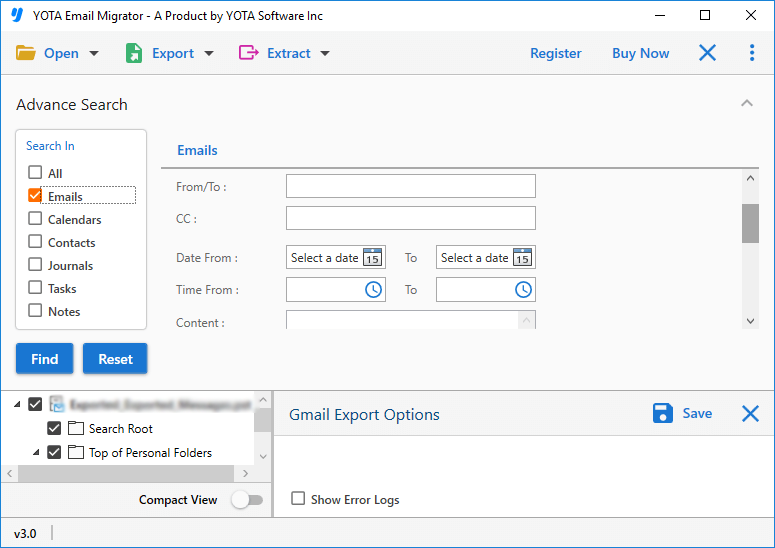
At Yota, we offer you the most advanced yet simple to use the best email backup tool in the world. The best email archiving software comes with an Advance filter option that can be used to filter out emails based on to / from, email subject and sender's name. In addition, you can backup Yahoo Mail to PC within the specific date range. All you need to enter the starting and ending date in the respective field.

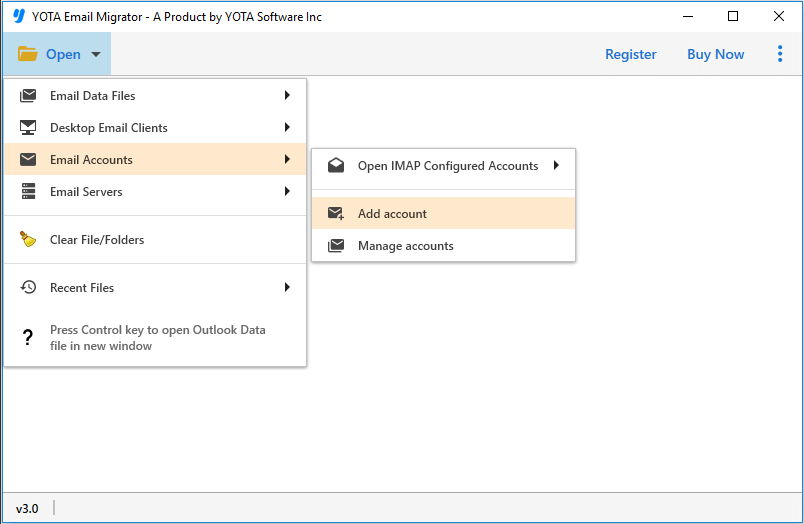
This software also helps you to backup emails from any IMAP-based email accounts and services. It has an option that will automatically detect the default port number. After entering the login details, such as the host name and port number, you can easily migrate their data seamlessly. Users can smoothly perform Roundcube Backup, GoDaddy Backup, and many more.

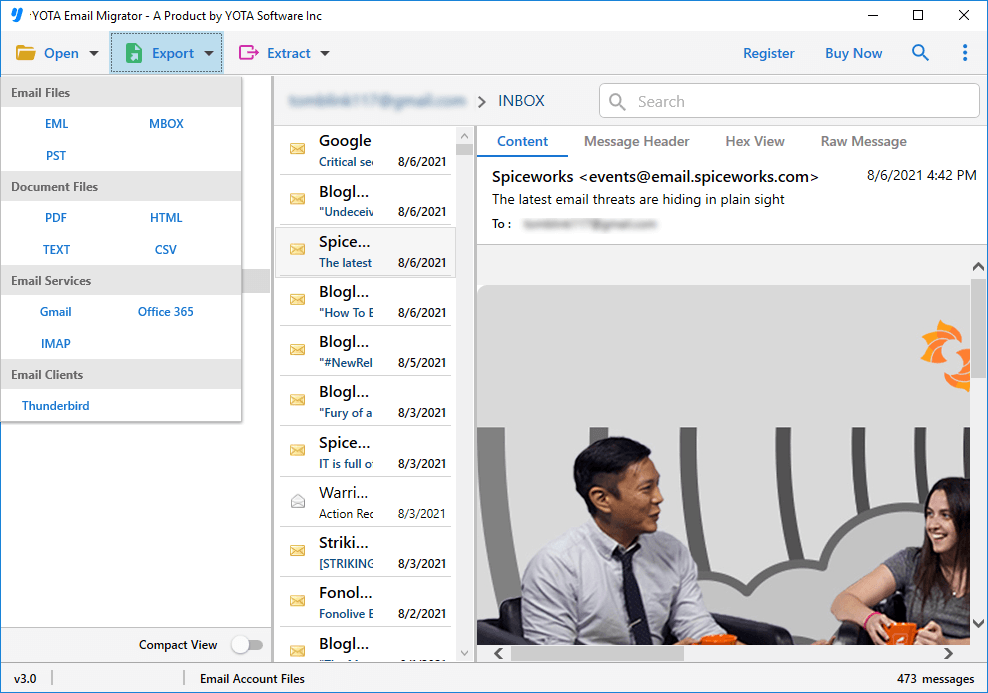
This is the best email backup tool that auto loads all data from your account and provides preview. You can click on the particular email to preview along with all attached content. Users can view their emails before creating Hotmail backup and other services in different preview modes such as Hex View, Raw Message, Content, and Message Header.

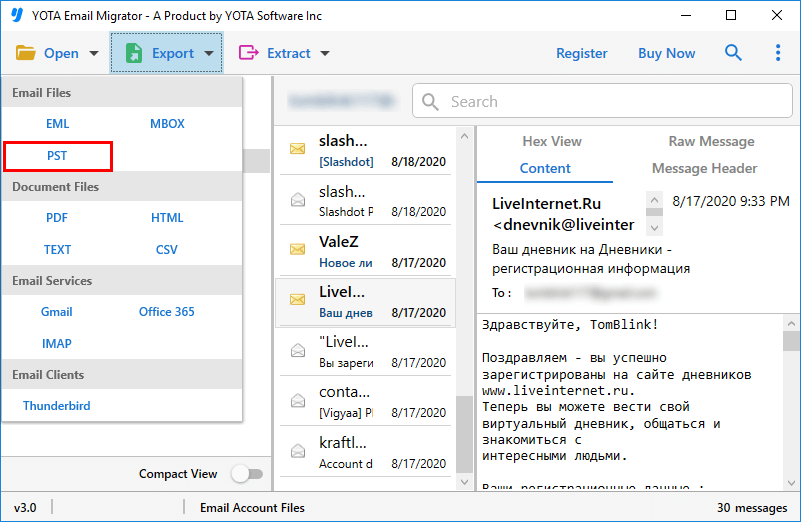
It permits you to save your emails locally. To do this, it provides support to download or export your emails in several file formats such as PDF, PST, MBOX, CSV, EML, HTML, TEXT, etc. Moreover it offers an option to save your contacts in VCF file and save calendar data in ICS file format. After that you can open your emails in multiple email applications and devices.
Simple Graphical User Interface
This is an effective and safe email backup software that has a simplified interface. In this way, a regular computer user can easily backup their account emails without the help of a technical expert. So, what are you waiting for, download the tool and start creating a backup of your emails to your PC.
Save Emails at Desired Path
It offers to backup emails to the desired location or folder. To do this, you just need to click on the “Browse” button and select the desired destination or folder where you wish to save your downloaded emails. After downloading emails, the tool will automatically open the selected location.
0% Modification
Email Backup Wizard is designed using a sophisticated algorithm that doesn't change a single piece of information throughout the process. Users can safely download emails without losing data. The software is 101% safe and free from all viruses or malware.
Cloud to Cloud Email Backup
It also has an advanced cloud to cloud email transfer feature. Users can directly move emails from one account to another. For example, you can transfer from one Google account to another account. Or the user can move emails from Google account to Office 365 account.
Pause & Resume Backup
If you are unable to continue the running backup process due to weak internet connection, power cut, and other reasons. Then don't worry, you don't need to start the backup from the beginning. Email Backup Wizard gives you a pause and resume option so that you can pause and resume the process at any time. The process will start from where you paused it.
Fastest Email Backup Wizard
This is known as the fastest email backup tool for Windows that gives you the peace of mind of getting complete and guaranteed results. It allows you to save emails from your multiple accounts without worrying about losing your important data. The software is capable of downloading thousands of emails in just a few minutes.
Virus and Ads Free
The software is totally free from viruses and advertisment. You can undoubtedly download this utility on your Windows-based computer or laptop and securely backup your account emails along with all attachments. Plus, the tool is powerful to download unlimited emails from your account without showing any limitation bar.
Backup Emails from All Folders
Yota Email Backup Wizard for Windows is known for its fast and accurate backup results. It offers you the option to download emails from all folders such as Inbox, Draft, and others in a single attempt. However, if you want to backup emails from a specific folder, you can simply select that folder and the software will only download emails from the selected folder.
Backup Emails in Bulk
If you want to backup multiple emails, it allows you to download multiple emails from your account in a single attempt. Apart from that, you can search your email by entering a specific keyword in the search box to backup selective emails. In addition, it is powerful to create backups of unlimited emails with full security.
24/7 Customer Support
This is the best email backup tool to backup emails that also includes customer service. If you have any doubts or questions about how the tool works, installation, payment, activation key, and more, you can quickly get in touch with the experts via live chat or email. They will answer your request as soon as possible.
Try Free
If you want to try the software without investing your money, you can always download the free version. The demo version will give you an idea about how well the software works. You can check out the features and functionality by downloading the free version first before paying for it. After getting satisfied you can buy the full version anytime.
Compatibility With Windows
Email Backup Wizard is compatible with all versions of Windows including latest Win 11. It's a perfect choice for all of those who are unsure whether they can istall it on their Windows PC or not. Another reason so many consider this tool is its incredibly user-friendly GUI that makes it very easy to operate no matter what your level of technical expertise is!
Backup Status Info
The status information about the email backup process helps you keep track of your backup. This is especially useful when backing up multiple mailboxes at once. The software displays a live progress report on your screen. It also tells you how many emails still need to be backed up and how long the backup will take.
No Data Stored
This is the 101% secure email backup tool that doesn't store any of your account information during backup creation. This ensures a high level of security, as data isn't intercepted during backup. Your data remains safe and 100% confidential. It doesn't store any personal information and doesn't share it with third parties.
Do you want to know why so many businesses like working with us?
Here’s Email Backup Wizard Reviews.
Now you can backup unlimited emails from any webmail account to your PC.
Steps to backup your emails from webmail accounts:
After purchasing the tool, you will receive an Email backup wizard activation key via email. Enter the key details into the software once you download and install it on your PC.
Yes, this email backup wizard is compatible with all the latest and previous version of Windows including Windows 11, 10, 8.1, 8, etc.
Yes, this email archive tool is totally safe and secure which gives you 100% accurate results in just a few simple steps.
Of course, the software permits you to transfer all your emails from one Google account to another just using their login ID and app password.
To save your emails from hackers, you can follow these serveral steps:
The best and easy way to create backups is with the Yota Email Backup Tool. This allows you to download emails from multiple email accounts.
Yes, the best email archiving software helps you backup multiple emails from your account at the same time and save time.
Yota Email Backup Wizard free download provides a trial version that lets you backup 10 emails from each folder free.