Are you switching from Eircom.net to Outlook? Looking for a solution to import Eircom.net email to Outlook? Here you’ll find the optimal solution for your needs. In this article, we’ll introduce you to the manual and alternative methods to transfer Eircom email to Outlook. Let’s get started…
Before we discuss the solutions, let’s first learn a little about Eircom and the reasons for the IMAP migration task.
Eircom Limited, trading as Eir is Ireland’s leading fixed-line, mobile, and broadband telecommunications company. It also provides webmail services to its users. Eircom Webmail allows you to access your email from any web browser without having to download any software.
You can access Eircom emails by following these steps:
- Go to the My Eir login page at www.eir.ie/email
- Enter your My Eir username and password.
- Log into your account.
- Once logged in, you can access Eir Webmail from your account dashboard.
Reasons to Transfer Eircom Email to Outlook
- Users want to import Eircom.net email to Outlook so that they can manage all emails from different accounts in one place.
- MS Outlook is known for its high security, integrated spam filtering, and data encryption.
- Eircom Webmail can only be accessed via a web browser over the Internet. As users want to access all their emails offline, they must transfer emails from Eircom to Outlook.
- Microsoft Outlook seamlessly integrates with other Office 365 applications and software.
- It also launches new versions with multiple great features and advanced security.
These are the common reasons why a user needs to transfer Eircom email to Outlook account.
Manual Method to Import Eircom.net Email to Outlook
You can follow the below listed steps to manually add Eircom email in Outlook account.
- Open Microsoft Outlook on your computer.
- Click the “File” tab in the top left corner.
- Select “Add Account”.
- Enter your Eircom email address and click “Connect”.
- If Outlook doesn’t automatically detect your account type, select “Advanced options” and then “Let me set up my account manually”.
- Select “IMAP” as the account type.
- Configure your IMAP and SMTP settings.
Incoming mail server (IMAP):
Server: imap.eircom.net
Port: 993 (SSL/TLS)
Authentication: Select “Require login via secure password connection (SSL/TLS)”.
Outgoing mail server (SMTP):
Server: smtp.eircom.net
Port: 465 (SSL/TLS)
Authentication: Select “Require login via secure password connection (SSL/TLS)”.
Username: Your full email address (e.g. yourname@eircom.net)
Password: Your eircom email account password - Click Next or Finish to complete the setup Eircom email account in Outlook.
- Outlook will connect to your Eircom email account and you can access your emails in Outlook.
That’s all!
Alternate Method to Transfer Eircom Email to Outlook
If you find the manual approach described above to impot Eircom.net email to Outlook is difficult for you and account configuration takes a lot of time. Also, you have less technical knowledge and therefore cannot perform all the steps properly. Then don’t worry, you can use the automated Email Backup Wizard that lets you instantly transfer emails from Eircom to Outlook account.
It lets you export Eircom emails to PST and many other file formats on your computer or hard drive. After exporting emails in PST file, it is easy to import file into Outlook via the inbuilt import option. The software has a simple interface that makes it accessible even for a beginner. Moreover, it only takes a few minutes to accomplish this task without any interruption.
During the email conversion process, it maintains all your email properties and folder hierarchy. Plus, the software gives you the freedom to export multiple emails from Eircom to PST file format at a time. One can also export only specific emails from Eircom.net webmail.
To import Eircom.net email to Outlook account, you only need to simply download the tool and install it on your Windows PC. It works successfully on any version of Windows such as Windows 11, 10, etc.
The software not only lets you transfer Eircom email to Outlook via PST file but also allows you to perform quick email migration tasks. You can also transfer Eircom email to Gmail, Office 365, Outlook.com, Yahoo Mail, and all IMAP-supported email services in a direct way.
Steps to Import Eircom.net Email to Outlook are as follows:
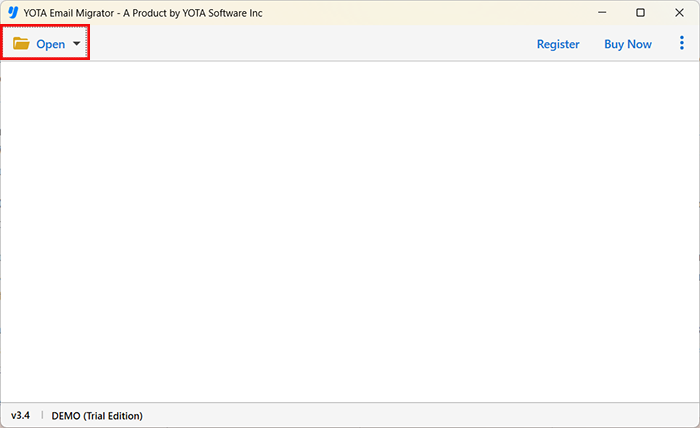
- Run the software and hit the Open tab from the top-left corner.
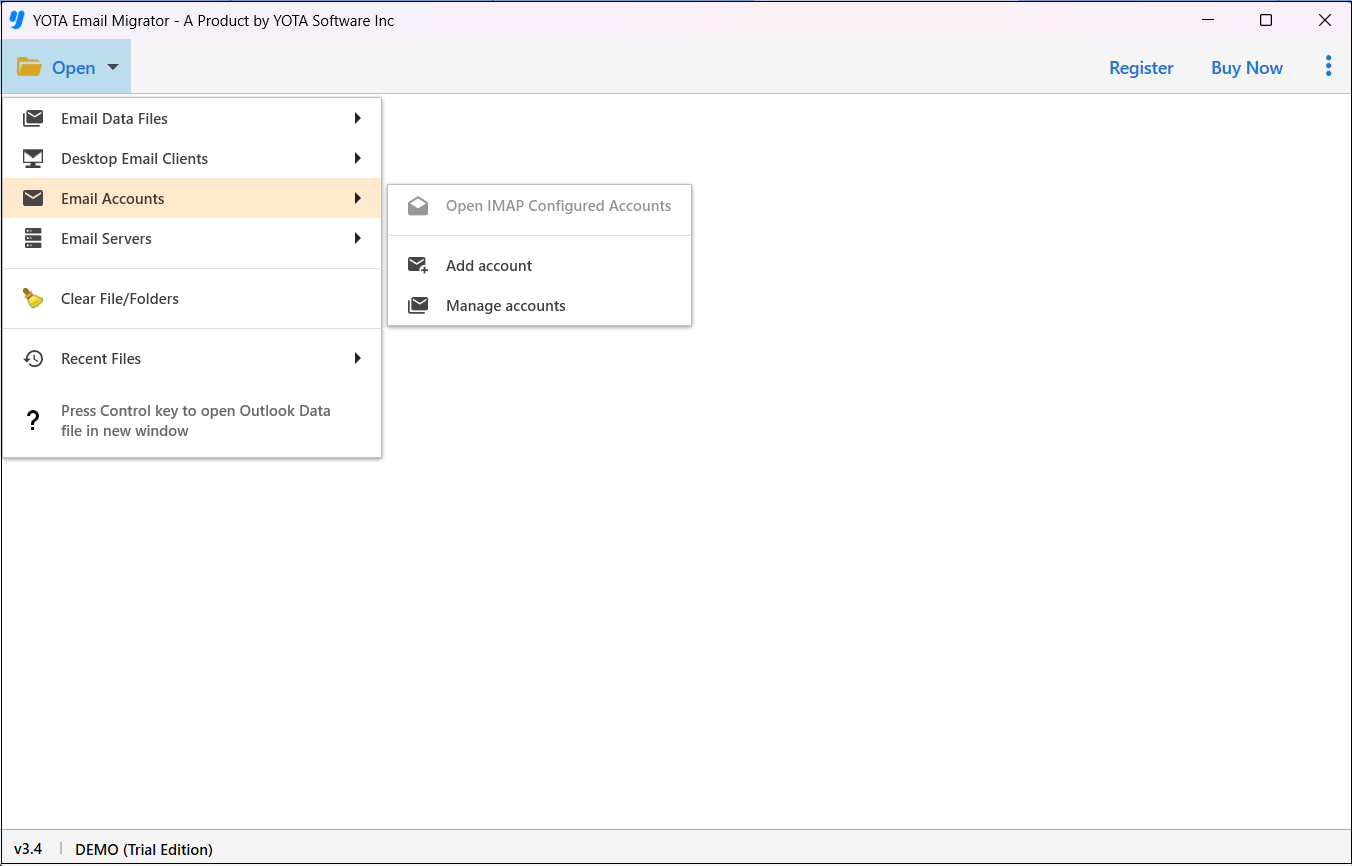
- Then click on Email Accounts and select the Add Account option here.
- Now, enter Eircom Webmail Email ID and App Password to log in.

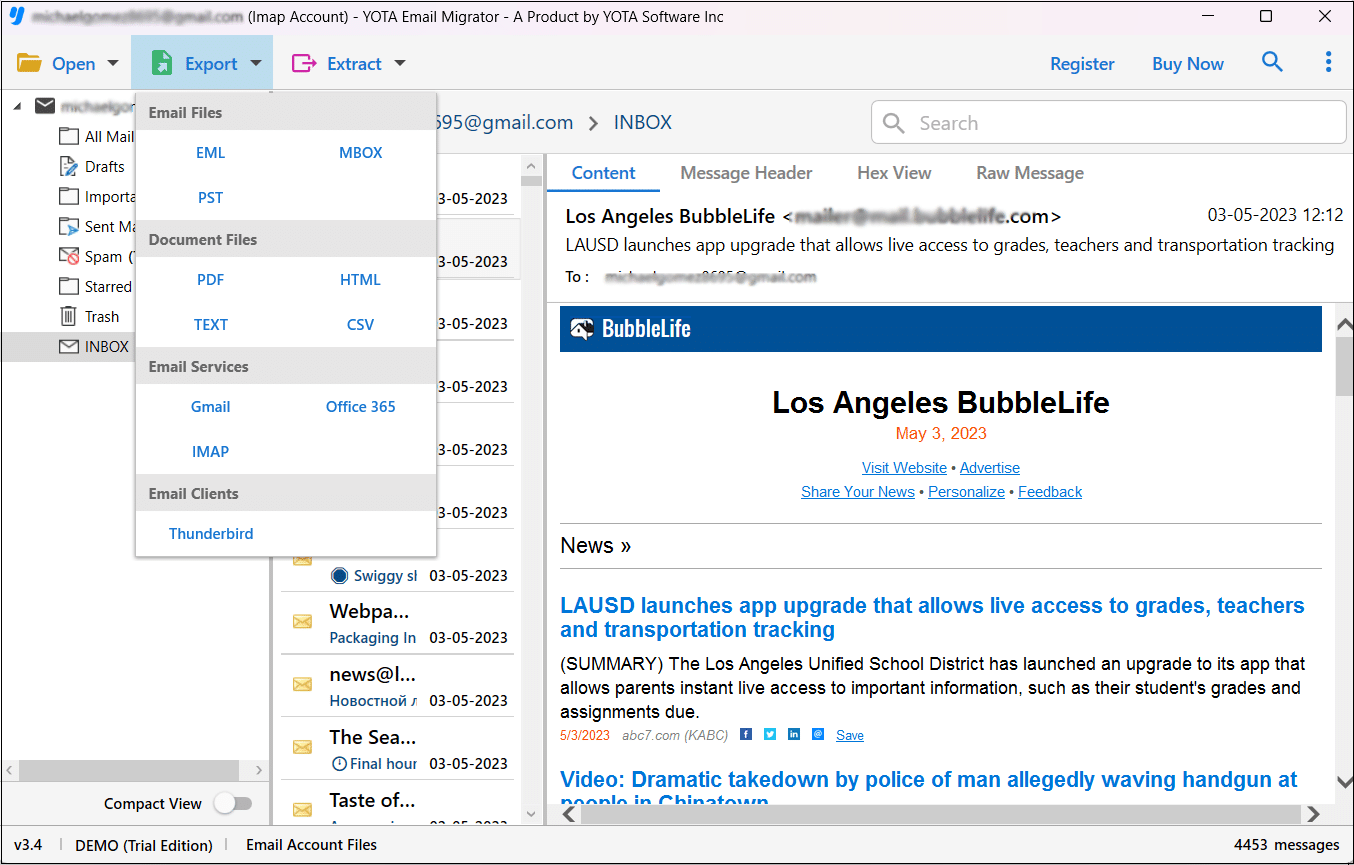
- Select the mailbox folder and click Export then choose PST file format.
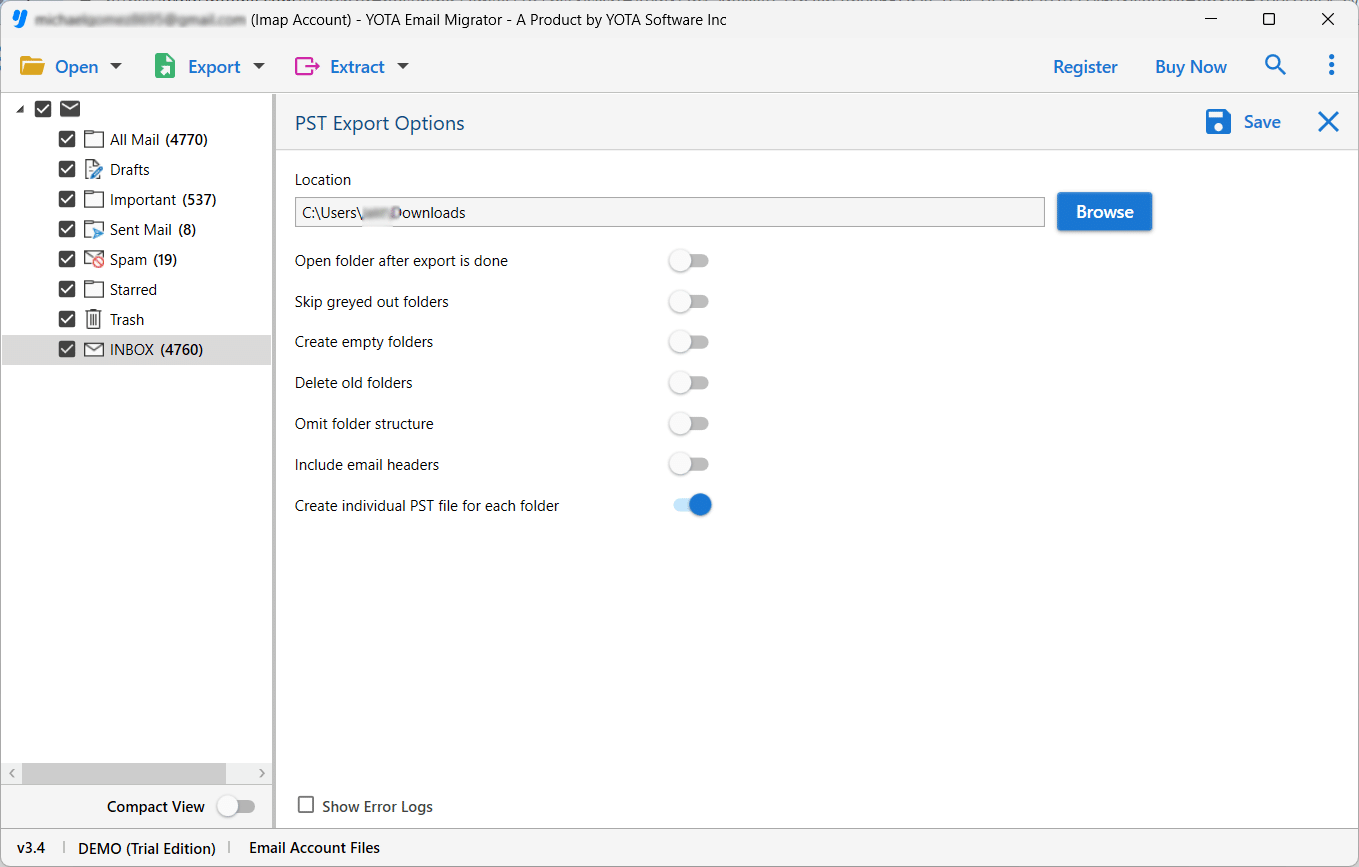
- Choose a location to store the exported file and hit the Save button.
All done!
Once the task is accomplished, import the exported PST file into your Outlook application and open Eircom email in Outlook.
Final Thoughts
Manual and alternate methods to import Eircom.net email to Outlook are described here. If a user cannot transfer Eircom email to Outlook manually, then it is advisable to go with the automated IMAP backup tool. It helps you transfer emails from Eircom to Outlook in a few minutes without losing any data. The tool lets you export Eircom emails to PST and then you can easily import the file into Outlook application.